PCOS Mental Health Screening
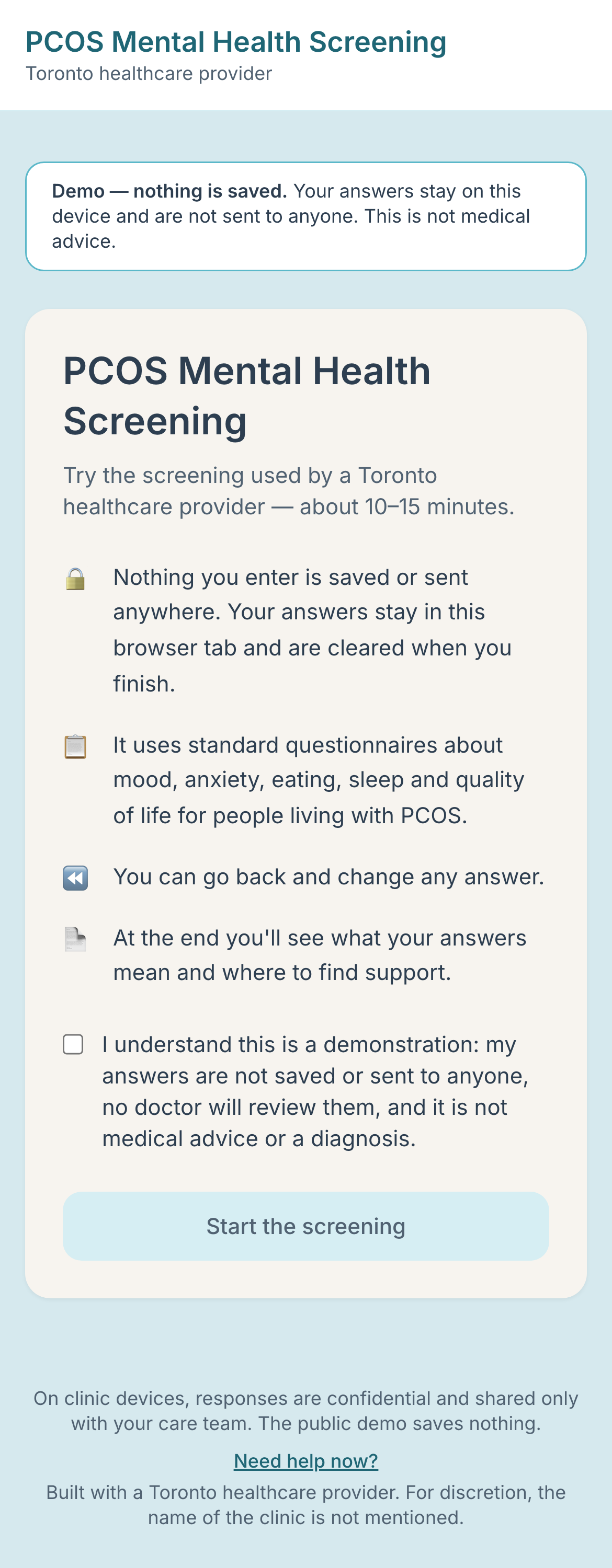
A mental-health screening for people with PCOS, built with a Toronto healthcare provider. Try the public demo; nothing you enter is saved.
- Role
- Solo developer: design, build, security hardening, deployment
- Status
- Public demo live. The clinic version is paused while privacy and compliance work (Ontario PHIPA) is completed.
- Stack
- Next.js 16, React 19, TypeScript, Tailwind CSS 4, Supabase (Postgres), Cloudflare Workers, zod, Vitest, Playwright, Accessibility (WCAG AA), Healthcare
Built with a Toronto healthcare provider. For discretion, the name of the clinic is not mentioned. The public demo saves nothing and is not medical advice or a diagnosis. Screenshots use made-up data.
Overview
A phone-friendly mental-health screening for people living with PCOS: validated questionnaires scored automatically, adaptive follow-up, and a clinician dashboard that puts urgent cases first.
Not a diagnosis tool, and it doesn't screen for PCOS itself: it screens people who have PCOS for the depression, anxiety and eating-related concerns that commonly go alongside it.
The problem
PCOS is strongly linked to depression, anxiety and disordered eating, but appointments are short and these topics are often not raised. The clinic wanted patients to complete the standard questionnaires privately in the waiting room, with results ready for the appointment.
What I built
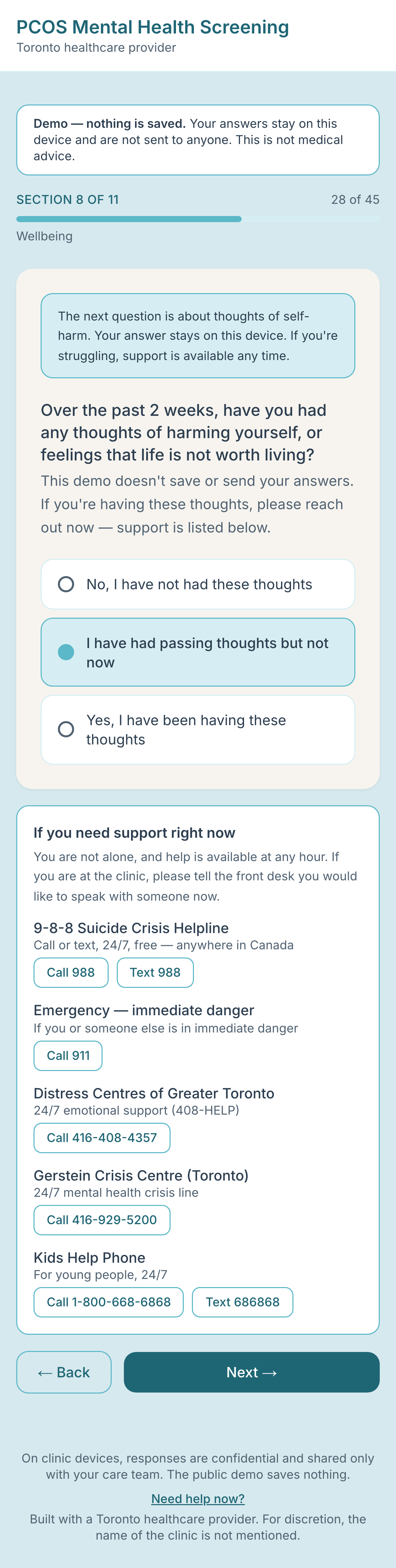
- Adaptive screening. Everyone answers PHQ-9, GAD-7, SCOFF and quality-of-life, then sleep, body image and sexual health. Extra questions (a self-harm follow-up, the MDQ bipolar screen, stress and trauma) appear only when the answers call for them.
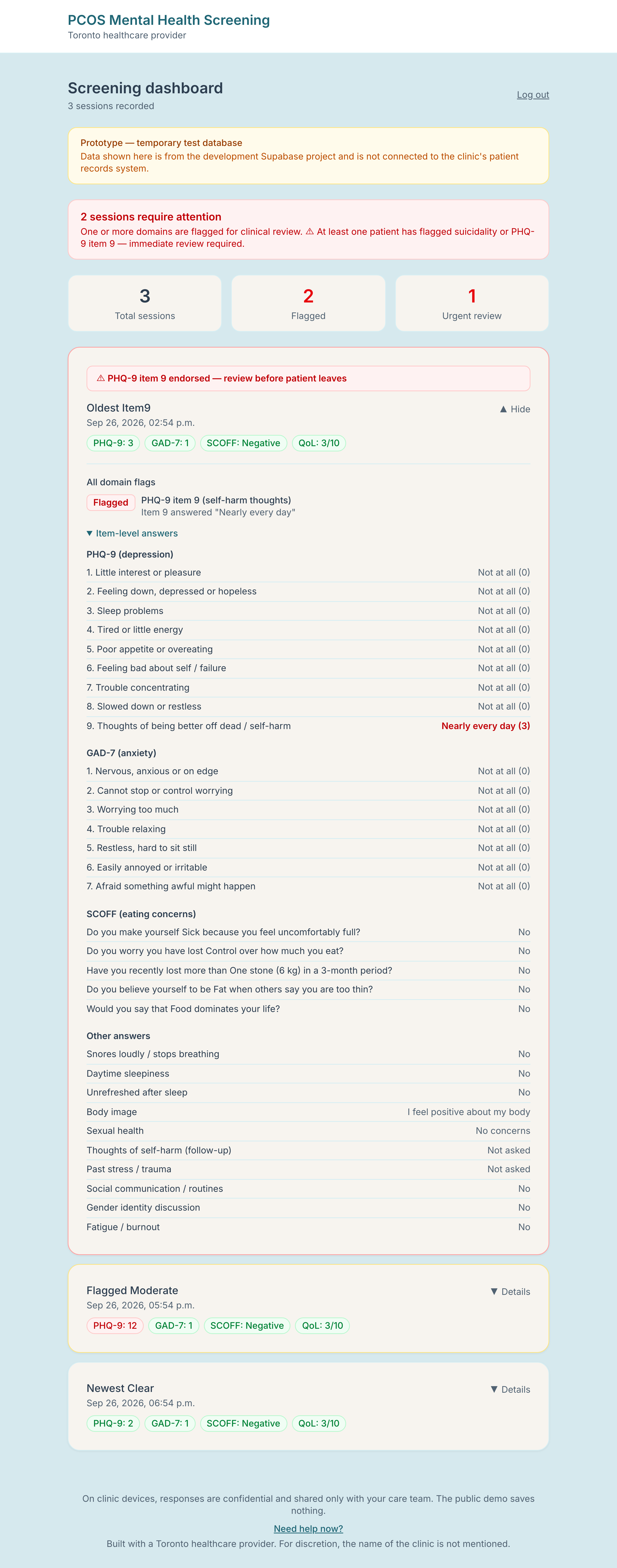
- Automatic scoring with published thresholds, plus flags a clinician can scan quickly.
- Printable clinician summary and a patient-facing overview.
- Clinician dashboard: urgent first, then flagged, then newest; expand a patient to see every individual answer.
- Crisis support in the patient flow (9-8-8, 911, Toronto services).
Two modes, one codebase
The same app runs in two modes. Clinic tablets are set up once with a private link; on them, answers are saved for the care team and appear on the clinician's dashboard. Everyone else gets a public demo: the full screening, scored entirely in the browser, with a plain-language explanation of the results and where to find support. The server refuses to save anything that doesn't come from a clinic device, so demo visitors can never end up in the clinic's records.
Decisions worth talking about
- Safety rule that doesn't depend on a total score. A patient can score low overall yet answer “nearly every day” to the PHQ-9 self-harm question. The original logic only looked at totals, so that patient triggered nothing. Any non-zero answer to that item now triggers the follow-up, an urgent flag and on-screen support — one shared function (
isStep3Triggered) used by the flow, the summary and the server. - The server is the source of truth. The browser is untrusted: the API validates every field against a strict schema, recomputes derived values (e.g. whether the self-harm follow-up was endorsed) and discards answers to questions the patient shouldn't have been asked (e.g. after going back and changing a score).
- Security review of my own prototype. I audited it and found the dashboard “login” cookie was the literal word
authenticated— forgeable by anyone. Replaced with an HMAC-signed, expiring token that fails closed; removed password logging; made logout actually clear the cookie; added tests including one that fails on the old code. - Shared-device privacy. A waiting-room tablet is used by many people, so results wipe on Finish and after idle time, and browser name autofill is off.
- Health-data hosting. Patient data is stored in Supabase and the app runs on Cloudflare Workers with security headers on every response. Per-person clinician login through Cloudflare Access is the next step; today the dashboard uses a single shared password.
- Accessibility measured, not assumed. An axe-core scan found the brand colours failed WCAG AA contrast on every screen (e.g. white on the brand teal button was 2.3:1). I kept the brand colours for fills and added text-safe shades; every screen now scans at zero WCAG 2 A/AA violations, enforced by the test suite.
A bug I found by testing in the browser rather than reading code
The self-harm question could be skipped: it was keyed on a value that started as false, so the app treated it as already answered and enabled the Next button. No unit test on the scoring would have caught it; a browser test that plays a patient through the flow did. It's now a regression test.
Quality
- 159 unit tests (scoring boundaries, adaptive-flow rules, validation, state handling, auth tokens, and the API route handlers with a fake database).
- 22 end-to-end browser tests, run against the Cloudflare Worker build. They play simulated patients through the real UI, check Back/Finish/idle-reset behaviour, the help page, and the clinician dashboard (including that the old forged cookie is rejected).
- CI runs lint, type-check, tests and build.
Honest limitations
- The clinic version is paused while privacy and compliance work is completed. The public demo is a prototype, not a medical device or a diagnostic tool.
- Clinician login is currently a shared password (per-person login via Cloudflare Access is the planned fix).
- English only; no data export yet; some cut-offs (quality of life, sleep) are clinic conventions rather than validated thresholds and are labelled as such.
What's next
Privacy and compliance work for Ontario (PHIPA): privacy impact assessment, audit log, individual clinician logins, Canadian data residency, and a retention policy. After that: a review workflow and French.
Screenshots
All screenshots use made-up demo data.